

Knowing how to create Google My Business is the first step you must understand if you want your business to appear more professional in the online era. Many business owners do not yet realize that visibility in search results can directly increase the chances of customers finding their services.
Through the right local SEO strategy, you can strengthen your business presence without large costs. This article will discuss how to add your business to Google while showing how simple optimization can produce real impact.
What Is Google My Business?
Google My Business (GMB), which has officially changed its name to Google Business Profile, is a free platform from Google that helps business owners manage their online presence.
A business profile works by displaying business information when users search for the business name or related services on Google. The system will display the profile on the right side of the search results page or as a location point on Google Maps.
Functions of Google My Business for Business Growth
Here are several functions of Google My Business that businesses can directly experience when utilizing this feature optimally:
1. Increase Visibility in Google Search
Utilizing Google My Business helps businesses stand out more in Google search results. This search engine controls more than 91% of the global search market, making the opportunity to reach potential customers much greater.
When a business has a complete profile, business information will appear directly on the search results page as well as on Google Maps. This condition makes the business easier to find and expands audience reach.
2. Make It Easier for Customers to Find Locations
A business profile on Google My Business allows the business location to automatically appear on Google Maps. This system helps customers quickly find the address through the “near me” search feature.
Clear, complete, and accurate location information makes it easier for local customers and tourists to reach the business using digital navigation. The easier customers can find the location, the greater the chance of direct visits to the store or business office.
3. Increase Trust and Credibility
A business profile that is actively managed gives a professional and trustworthy impression. Information such as operating hours, contact numbers, business photos, and service descriptions helps customers understand the quality of the business before visiting.
Customer reviews are an important factor in building reputation because high star ratings and positive comments can increase potential customer confidence. A strong digital reputation directly strengthens the business image in the public eye.
4. Support Local SEO Strategy
Google My Business plays an important role in local SEO strategy because it helps Google understand the business’s relevance to the user’s search location.
Optimizing the profile through selecting the right business category, using relevant keywords, and maintaining consistency of name, address, and phone number data (NAP consistency) can improve the business’s position in local search results.
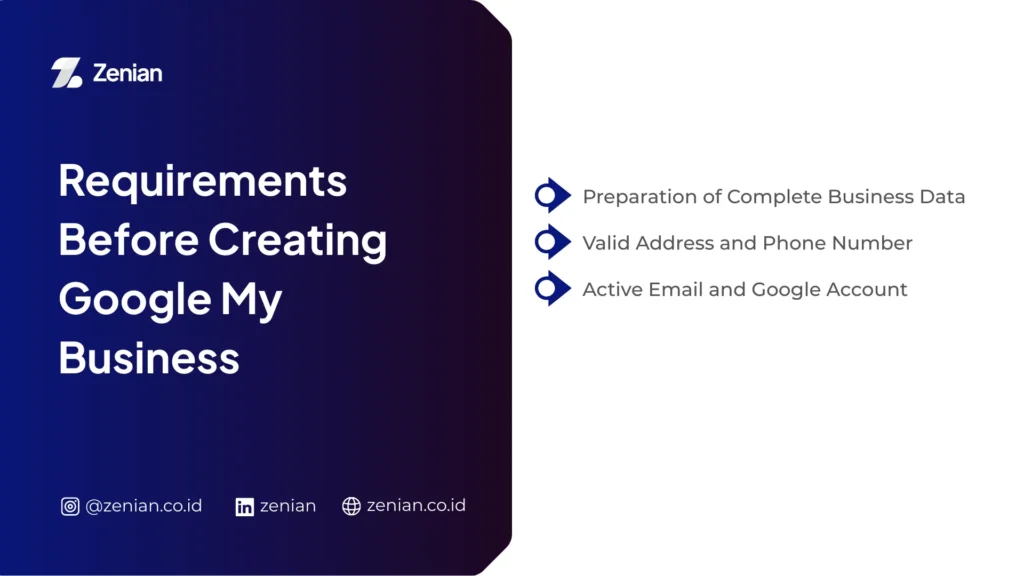
Requirements Before Creating Google My Business
Before creating a business profile on Google My Business, you need to prepare several important pieces of information so the registration process runs faster, more neatly, and professionally. Proper preparation helps Google’s system understand your business while making it easier for customers to find the services offered.
1. Business Data to Prepare
The first step you need to take is preparing complete business identity information. This information becomes the main foundation so the business profile appears accurate in search results.
Business Name: Use the business name that customers recognize. A consistent name helps Google display your business more relevantly in local search.
Business Category: Choose the category that best describes the services or products offered, such as restaurant, salon, or clothing store. The right category makes it easier for the system to target the appropriate audience.
Additional Information: Complete the profile with operating hours, a clear business description, and high-quality photos. You can display product photos, interior views, and business location to increase potential customer trust.
Website (Optional): If the business has an official website, prepare the URL to add to the profile. This step helps customers obtain more complete information about services or products.
2. Valid Address and Phone Number
Contact information is an important factor in building business credibility while facilitating the verification process.
Physical Address: Include the complete address covering street name, city, and postal code. Even if the business operates online, you still need a valid mailing address for Google’s verification process.
Active Phone Number: Make sure the phone number used is always active because customers usually contact businesses through this number to ask questions or place orders.
NAP Consistency: Maintain consistency of Name, Address, and Phone Number (NAP) across all digital platforms.
3. Active Email and Google Account
The next stage is ensuring you have an account that can be used to manage the business profile continuously.
Must Have a Google Account: Because this service is part of the Google ecosystem, you must use an active Google account to create and manage the business profile.
Use a Dedicated Business Account: It is recommended to use a dedicated business Google account so management remains professional and easy to transfer to the team in the future.
Email Access for Verification: Make sure you can access the email because Google will send verification codes or instructions to confirm legitimate business ownership.
Read Too: 15 Search Engines Other Than Google: Best Alternative
How to Create Google My Business Easily
The registration process is relatively simple and usually only takes about 10–20 minutes. Here is a complete guide you can immediately practice.
1. Log In to Your Google Account
Start by preparing a Google account first because all business services are directly connected to the Google ecosystem. Use a dedicated business account so data management remains professional and separate from personal activities.
Go to the official Google Business Profile page, then log in using that account. After successfully logging in, the system will direct you to the business profile creation process step by step.
2. Enter Business Name and Category
After logging in, the system will ask you to fill in the business name. Use the name that customers truly recognize so it is easy to find in search.
Next, choose the most relevant business category, such as restaurant, AC service, or property consultant. Category selection helps Google’s algorithm understand the type of services you offer so the profile appears more easily to the right potential customers.
3. Determine Business Location
The next step is determining the business location. If the business has a physical store, enter the complete address starting from street name, city, to postal code.
If you run a service-based business without a permanent office, choose the service area option to determine the operational coverage area. Even if the business runs online, you still need to include a valid address for business ownership verification purposes.
4. How to Create a Business on Google Maps
After the registration process is complete, the business location usually appears directly on Google Maps. However, if the location is not yet visible, you can add it manually.
Open Google Maps, search for the business address, then select the Add Your Business menu. If similar business data already exists, claim the business so you get full management access to that profile.
This step ensures the business appears on the digital map so customers can quickly find the location through navigation.
5. Add Contact and Website
Complete the profile with accurate contact information. Enter an active phone number so customers can directly contact your business.
Also add the official website address if available. This information helps customers obtain service details, product catalogs, and additional information through the business website page.
Clear contact data increases trust while making communication easier with potential customers.
6. Verify the Business Profile
Verification is an important stage to prove that you are the legitimate owner of the business. After this process is complete, you gain full control over the business profile.
Several verification methods usually available include:
- Mail (Postcard): Google sends a verification code by mail to the business address and usually arrives within 14 days.
- Phone or SMS: the code is received via voice call or text message.
- Email: the system sends a verification link directly to the business account email.
- Video or Live Video Call: you show the business location, equipment, and operational proof through a video recording.
Enter the verification code according to the instructions until the profile is declared active.
7. Optimize Google My Business Profile
After the profile is successfully verified, perform optimization so search performance improves and the business is easier for customers to find.
Some optimization steps you can take include:
- Complete NAP Data: Ensure Name, Address, and Phone (NAP) are consistent across all platforms.
- Upload High-Quality Photos: Add product, interior, exterior, and business activity photos so the profile looks professional and convincing.
- Manage Customer Reviews: Encourage customers to leave positive reviews and respond to every review professionally to build business reputation.
- Use the Post Feature: Publish promotions, latest information, or business events directly through the posting feature on the profile.
Google My Business Optimization Tips to Be Easily Found
After the business profile is active, you need to optimize it so the business is easier for customers to find through local search.
Use keywords that match the main services or products so the search system understands your business accurately.
- Insert business keywords in the business description, service list, and post content.
- Write the main business category at the beginning of the description.
- Add specific keywords such as additional services, featured menu items, or certain service types to clarify the target audience.
Attractive visuals can increase potential customer trust before they visit the location.
- Upload product, interior, exterior, and service activity photos with clear and professional quality.
- Use good lighting so the business appearance looks convincing.
- Update photos regularly to show that the business is actively operating.
Customer reviews also play a role in improving business reputation and ranking.
- Invite satisfied customers to leave positive reviews.
- Reply to every review professionally.
- Say thank you for good reviews and provide solutions for negative reviews.
Common Mistakes When Creating Google My Business
Many business owners have created business profiles on Google but do not yet understand the basic mistakes that actually hinder business performance in search.
Here are some mistakes you need to avoid:
- Incomplete or inaccurate business data
- Inconsistent NAP (Name, Address, Phone)
- Ignoring the verification process
- Changing data while waiting for the verification code. Changes during the waiting period (±14 days) can cancel the verification code so the activation process must be repeated.
- Choosing an irrelevant business category. Too many irrelevant categories can lower search rankings.
- Minimal visual content and customer interaction. Profiles without photos and updates look inactive. Upload photos regularly and respond to customer reviews through the Google Post feature.
- Profiles without an official manager account cannot be optimized. Immediately claim the profile so you have full control over its management.
Want Your Google My Business to Rank on Maps?
In fact, around 64% of customers search for local businesses through Google, and a well-managed profile can appear in more than 1,000 searches every month. To ensure your business profile can compete on Google Maps, make sure you follow the guide above.
However, running a local SEO strategy sustainably requires time. Therefore, PT Zenian Digital Lab is here as your partner through integrated Search Engine Optimization (SEO) services that help increase business visibility to reach the best positions. Consult now!EO) services to help increase your business visibility and achieve top rankings. Consult now!