
Have you ever felt that your website looks perfectly fine, yet the number of visitors keeps declining? Or perhaps your website feels slow when loading, even though it has an attractive design?
Issues like these are quite common. Many business owners focus heavily on website design but rarely evaluate its overall performance. Without proper analysis, it can be difficult to determine whether a website is truly achieving its goals or quietly losing valuable traffic and conversions.
That’s why understanding how to analyze a website is an important step toward ensuring your site remains fast, easy to find on Google, and capable of delivering a positive user experience.
Why Should Website Analysis Be Performed Regularly?
A website is not a digital asset that can simply be built once and left untouched. Over time, its performance can change due to various factors, including new content additions, Google algorithm updates, and increasing visitor numbers.
Without regular evaluations, small issues that initially go unnoticed can develop into larger problems that affect user experience and overall business performance.
For example, a slow-loading product page may cause potential customers to leave before they even see your offer. In some cases, a delay of just one or two seconds can significantly impact conversion rates.
What Should Be Analyzed on a Website?
When conducting a website analysis, there are several key areas that deserve attention.
1. Website Loading Speed
Website speed is one of the most influential factors affecting user experience. Most visitors are unwilling to wait for pages that take too long to load.
Beyond user satisfaction, website speed is also one of the factors Google considers when determining search rankings.
2. SEO Performance
A fast website does not automatically mean it has strong SEO performance. You should also check whether pages are properly indexed, have a clear heading structure, use relevant keywords, and are free from technical errors.
3. User Experience (UX)
Visitors should be able to find the information they need without difficulty. Confusing navigation or a non-responsive design can cause users to leave your website more quickly.
4. Website Security
SSL certificates, system updates, and protection against cyber threats are also critical components of website analysis. An insecure website risks losing visitor trust and credibility.
How to Analyze a Website Thoroughly
Performing a website audit does not always require complex tools. Several free tools can provide a strong overview of your website’s current condition.
1. Use Google PageSpeed Insights
Google PageSpeed Insights helps measure website speed on both desktop and mobile devices.
The report identifies various factors affecting performance, including image sizes, heavy scripts, and Core Web Vitals issues.
2. Utilize Google Search Console
Google Search Console provides valuable insights into your website’s performance in Google Search results.
Using this tool, you can track clicks, impressions, traffic-generating keywords, and indexing issues that need attention.
3. Analyze with Google Analytics
Google Analytics helps you understand visitor behavior.
You can see which pages receive the most traffic, where visitors come from, how long they stay, and which pages have high bounce rates.
This data is extremely useful for identifying areas that require optimization.
Analyzing Website System Performance
In addition to design and SEO, it is also important to understand website system performance and how the website functions behind the scenes.
Simply put, when someone visits a website, their browser sends a request to the server. The server processes the request and returns the requested page to the user.
If any part of this process experiences delays or failures, the website may become slow or even inaccessible.
Several aspects worth monitoring include:
- Server and hosting performance
- CPU and RAM resource usage
- Database speed
- System error logs
- Website uptime and downtime
A website that appears simple on the front end may actually have complex technical issues operating in the background.
For that reason, system analysis plays a crucial role in maintaining website stability.
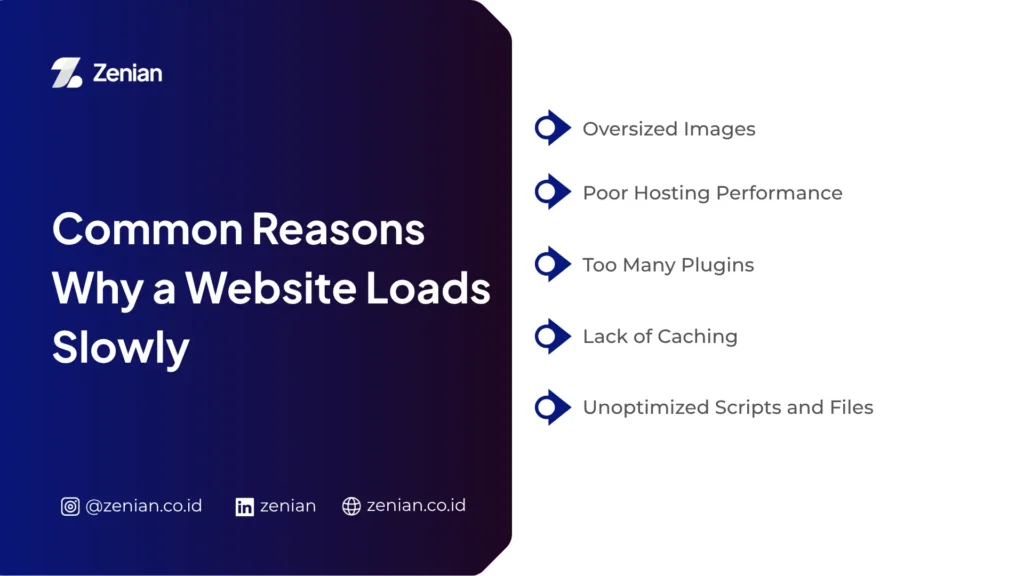
Common Reasons Why a Website Loads Slowly
One of the most common questions website owners ask is why their website loads slowly.
The answer varies because the issue can stem from multiple factors.
1. Oversized Images
High-resolution images may look appealing, but if they are not optimized, they can significantly slow down a website.
It is common to find pages containing multiple images that are several megabytes in size, causing loading times to increase dramatically.
2. Poor Hosting Performance
Budget hosting plans can save money initially, but they may struggle to handle increased traffic.
If the server is slow, the website will also perform poorly, regardless of how well it is designed or coded.
3. Too Many Plugins
This is especially common on WordPress websites.
The more active plugins you have, the more scripts need to be loaded every time a page is opened.
Without proper management, overall website performance can decline significantly.
4. Lack of Caching
Caching allows websites to store temporary data so that pages can be delivered faster to returning visitors.
Without caching, the server must repeatedly process the same requests, increasing loading times.
5. Unoptimized Scripts and Files
Large CSS, JavaScript, and HTML files can also slow down a website.
For this reason, minification and file compression are often considered essential steps in performance optimization.
Website Optimization Strategies for Better Performance
Once the problems have been identified, the next step is website optimization.
Some of the most effective strategies include:
1. Optimize Images
Use modern image formats such as WebP and resize files appropriately before uploading them to your website.
2. Enable Caching
Caching helps reduce server workload while improving page loading speed.
3. Use a CDN
A Content Delivery Network (CDN) stores website files across multiple server locations, allowing users from different regions to access content more quickly.
4. Optimize the Database
Databases filled with unnecessary data can slow down website operations.
Regular database cleanup and optimization can help maintain stable performance.
5. Improve Technical SEO Structure
Optimization is not only about speed. URL structure, internal linking, schema markup, sitemaps, and mobile usability should also be reviewed to help search engines better understand your website.
When Should You Conduct a Website Audit?
Ideally, a website audit should be performed every three to six months.
However, if your website serves as a primary source of leads or sales, monthly evaluations may provide better results.
By analyzing your website regularly, you can identify issues before they begin affecting traffic, conversions, or user experience.
Improve Website Performance with Professional SEO Services from Zenian
Learning how to analyze a website is a great first step. However, implementing audits, technical optimization, SEO improvements, and ongoing performance monitoring requires significant time and expertise.
If your business website is experiencing declining traffic, slow loading speeds, or struggles to compete in Google search results, the team at PT Zenian Digital Lab is ready to help.
Through our professional SEO services, Zenian helps identify website issues comprehensively, implement technical optimizations, improve search engine visibility, and drive more relevant traffic to your business.
Consult with Zenian about your website SEO needs and start maximizing your website’s potential as a digital asset that generates measurable business results.