
There are ways to create a free blog without needing to understand coding or spend a lot of money. A blog is not only a place to share stories and writing hobbies, but it can also be the first step toward building a digital identity and opening opportunities for additional income.
Various free platforms now come with beginner-friendly features, making the process of creating a blog more practical and faster. This article will discuss a complete guide to help you build a blog from scratch with easy-to-understand steps.
What Is a Blog?
A blog is a type of website that regularly and consistently displays content. Many people use blogs to share information, experiences, opinions, and various interesting topics that match their interests.
Unlike regular websites that tend to be static, blogs continue to grow because owners can add articles anytime. Many companies, business owners, and professionals use blogs to build their reputation and expand audience reach on the internet.
Why Do Many People Create Blogs?
Many people are interested in creating blogs because this platform offers many benefits. Blogs also help someone build a digital identity while expanding connections with audiences who share similar interests.
1. As a Medium for Sharing Information
Blogs make it easier for writers to share knowledge, experiences, and personal stories with many people.
Many bloggers use blogs to document hobbies, life journeys, tutorials, or certain information so readers can benefit from the content.
In addition, blogs can become digital spaces for storing memories such as photos, writings, and important experiences that people want to preserve over the long term.
2. Helps Build Personal Branding
Blogs help individuals showcase their skills and knowledge in specific fields. By consistently creating quality content, bloggers can build a professional image while increasing credibility online.
This strategy is often used by business owners, professionals, and freelancers to attract collaboration opportunities and expand career networks.
3. Supports Digital Marketing Strategies
Many businesses use blogs as digital marketing tools because they can bring organic visitors from search engines.
Relevant and informative articles can help businesses build trust with potential customers while increasing website visibility.
Applying SEO (Search Engine Optimization) techniques also helps articles appear more easily in Google search results, increasing the potential to generate traffic.
4. Opens Opportunities for Online Income
A blog can become a source of extra income or even a primary job if managed seriously. There are many monetization methods available to generate income from blogging, such as:
- Displaying advertisements
- Joining affiliate marketing programs and earning commissions from product sales
- Writing product reviews or accepting endorsement collaborations
- Selling digital products such as e-books, templates, or online courses
- Offering professional services based on expertise
The larger a blog’s audience grows, the greater the opportunity to consistently earn income online.
Read Too: The Benefits of Article Writing: Functions, Characteristics, and Practical Examples
How to Create a Free Blog Easily
You do not need to understand programming languages or coding to start writing and building your own blog. Below is a complete guide to help you start a free blog more easily.
1. Determine a Blog Niche or Topic
The first step is choosing your niche or main blog topic. A niche helps give your blog clear direction so audiences can easily recognize the type of content you create.
In addition, a specific topic can improve your blog’s credibility in readers’ eyes. To make choosing a topic easier, try these steps:
- Write down 5 to 10 topics you enjoy or understand well.
- Choose topics that allow you to create content consistently.
- Use Google Trends to check whether the topic has audience demand.
- Focus on a micro-niche to make your blog more unique than competitors.
For example, instead of discussing “culinary” in general, you can choose a more specific topic such as spicy food recipes or homemade ramen recommendations.
2. Create a Google Account
Before creating a blog, you need a Google or Gmail account. This account will be used to log into blog platforms, especially Blogger, which is directly connected to Google services.
Besides simplifying registration, a Google account also helps you access supporting services such as Google Drive, Google Analytics, and Google AdSense for future blog monetization.
The setup process is simple because you only need to:
- Open the Google registration page.
- Enter your name, email address, and password.
- Verify your phone number.
- Complete the account registration process.
Once your account is ready, you can start accessing free blogging platforms.
3. Choose a Free Blogging Platform
There are many free blogging platforms available today that can be tailored to user needs. Each platform offers unique advantages, allowing you to choose according to your blogging goals.
Several popular platforms are widely used. Choose the platform that best fits your needs to make blog management more comfortable.
4. Choose an Attractive Blog Name
A blog name becomes the digital identity recognized by readers. Therefore, choose a name that is memorable and relevant to your blog content.
Here are several tips for choosing a blog name:
- Use a short and easy-to-read name.
- Avoid numbers or symbols that are difficult to remember.
- Match the name with your blog’s main topic.
- Choose a professional-looking and simple name.
When using free services, you will usually get a subdomain such as yourblog.blogspot.com or yourblog.wordpress.com. If you want a more professional appearance, you can buy a custom domain later.
5. Customize the Blog Appearance
After successfully creating the blog, the next step is customizing its appearance so it feels more attractive and easier to read. A neat blog design can improve the visitor experience while reading content.
Here are several things to pay attention to when customizing your blog:
- Use a clean design so visitors can easily understand blog navigation.
- You can change colors, fonts, background images, and add videos or links as needed.
- Choose matching colors and logos to make the blog look more professional.
- Many internet users access blogs through smartphones, so your blog should remain comfortable to read on smaller screens.
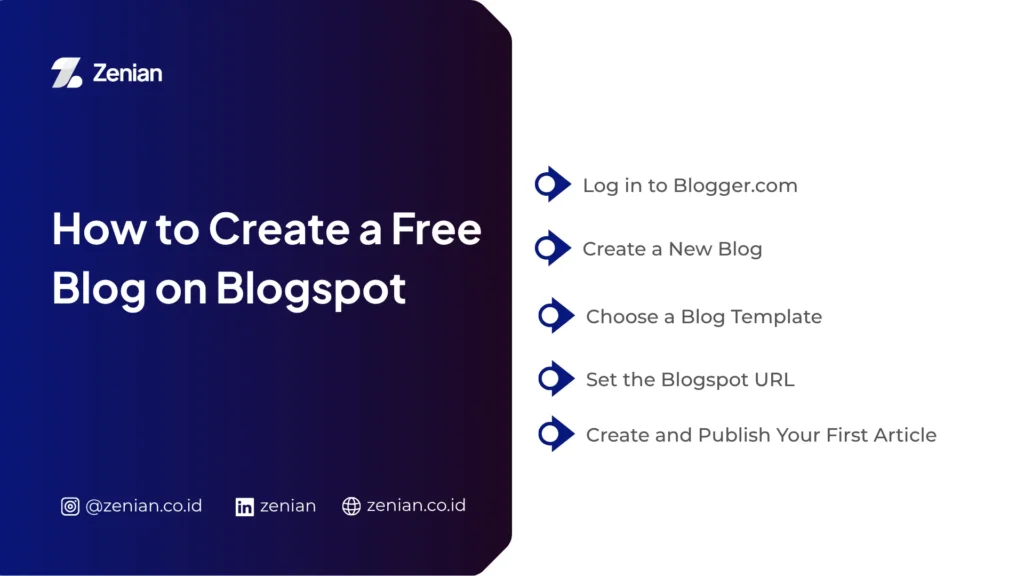
How to Create a Free Blog on Blogspot
This Google-owned platform helps beginners build a digital identity without needing to understand programming languages or coding. Below are the steps:
1. Log in to Blogger.com
The first step starts by visiting the official Blogger website. This process only requires an active Google account so you can access all available features.
Follow these steps:
- Open a browser and visit the official website: www.blogger.com
- Click the “Create Your Blog” or “Login” button on the homepage.
- Enter your Google (Gmail) account and password.
- If you do not yet have a Google account, create one first to manage your blog easily.
After successfully logging in, the system will direct you to the Blogger dashboard to begin creating a new blog.
2. Create a New Blog
After entering the dashboard, Blogger will ask you to define your blog’s basic identity. This stage is important because the title and profile will become your blog’s main identity online.
Several settings to pay attention to include:
- Choose a Blog Title: Enter a title relevant to the main blog topic. Choose something interesting, memorable, and capable of clearly describing your content.
- Fill in Profile Name or Username: Blogger will request a display name that will appear as the author identity on every article.
Use a professional name to make the blog appear more trustworthy to readers.
3. Choose a Blog Template
An attractive blog appearance can improve visitor comfort when reading articles. Blogger provides various ready-to-use templates that are beginner-friendly.
Things to consider when choosing a template include:
- Blogger offers a collection of templates with flexible layouts.
- You can customize backgrounds, colors, and menu arrangements according to your needs.
- Choose a simple design with clear navigation to make it easier for visitors to explore your blog.
Besides using built-in templates, you can also install third-party templates for a more professional appearance.
4. Set the Blogspot URL
A URL or blog address acts as a digital identity that helps people find your website online. Therefore, choosing a URL should not be done carelessly.
On Blogger’s free plan, the site address usually uses the blogspot.com subdomain, for example: yourblogname.blogspot.com.
To make it look more professional, follow these tips:
- Use a short and memorable name.
- Match the URL with your blog topic or branding.
- Avoid complicated characters that are difficult to type.
If you want to improve blog credibility, you can also replace the default Blogspot address with a custom domain such as .com or .id.
5. Create and Publish Your First Article
After completing the setup, you can start writing your first article. This stage becomes the first step toward filling your blog with useful content for readers.
Follow these steps to create a post:
- Go to the Blogger dashboard and click “New Post”.
- Enter the article title at the top of the page.
- Write the article in the available editor.
- Use the toolbar to format text, add images, YouTube videos, or links.
- Click Preview to see how the article will look before publishing.
- If everything looks good, press the “Publish” button to make the article available online.
Tips for Making Your Blog More Attractive
A blog with clear navigation and informative content is usually more likely to gain loyal readers. Here are several tips that can help improve the quality of your blog.
1. Use a Simple and Responsive Design
Blog design affects visitor comfort when reading articles. A design that is too crowded often makes readers lose focus and leave the page quickly. Therefore, use a simple layout template to make navigation easier to understand.
Also, make sure your blog has a responsive design so it displays optimally on various devices, especially smartphones. Today, most internet users access information through mobile devices.
Besides design, pay attention to the size of images used. Image files that are too large can slow down page loading. Therefore, use high-quality images that have been optimized to keep your blog fast and accessible.
2. Consistently Write Quality Content
Content determines the growth of a blog. Search engines such as Google generally prioritize articles that provide real value to readers. Therefore, you need to consistently create informative, relevant, and easy-to-understand content.
To stay organized, use a content calendar to schedule article publications. This method helps maintain consistency while making topic management easier. Content that is updated regularly also shows that the blog is active and trustworthy.
When writing articles, use clear and concise language. Ensure the information shared remains accurate and relevant to readers’ needs so they stay engaged until the end.
3. Use Engaging Article Titles
Article titles are the first thing readers see on search engines or social media. Therefore, you need to create titles that attract attention while clearly describing the content.
Use titles with a length of around 50–70 characters so they display optimally in Google search results. You can also naturally include keywords to support optimization.
Additionally, question-based titles often have a greater chance of appearing in featured snippets. Here are some examples of engaging title approaches:
- Use numbers to create a practical impression.
- Add words that spark curiosity.
- Match the title with problems readers commonly face.
- Avoid titles that are too long or difficult to understand.
4. Optimize SEO in Blog Articles
Applying Search Engine Optimization (SEO) helps articles become easier to find in search engines. With proper optimization, your blog has a greater chance of gaining more organic visitors.
The first step is conducting keyword research to understand topics audiences frequently search for. After that, optimize each article using headings, meta descriptions, internal links, and relevant external links.
Besides content optimization, ensure your blog has a sitemap and is registered with Google so new articles can be indexed more quickly. A well-organized blog structure also helps search engines better understand page content.
5. Use Relevant Images
Images can make articles more visually appealing while helping readers understand information more easily. The use of visual media also builds emotion, making articles feel more engaging and less boring.
Choose images that match the topic being discussed and place them in positions that support the article flow. In addition, add Alt Text to every image so search engines can recognize the visual content.
To maintain blog performance, use compressed image file sizes. This helps preserve page speed without reducing image quality.
Common Mistakes When Creating a Blog
These mistakes usually occur due to poor planning and unclear content strategies. In fact, understanding common mistakes can help the blogging process become more effective and focused. Here are things to avoid:
1. Inconsistent Content Updates
Many beginner bloggers start enthusiastically but stop writing after a few weeks. This condition makes blogs appear inactive and difficult to grow in the long term.
Search engines tend to favor blogs that regularly update content because they are considered active and relevant. In addition, readers trust blogs that consistently share updated information.
2. Choosing the Wrong Niche
Another common mistake is selecting a blog topic that is too broad or unrelated to personal interests. Many beginners try discussing everything in one blog, causing unclear content direction. As a result, blogs struggle to attract the right audience.
Choosing a more specific niche can help a blog stand out from competitors. For example, instead of discussing technology in general, you can focus on gaming gadgets, smart homes, or website tutorials.
In addition, choosing topics only because they are trending often becomes a problem. Without genuine interest, writing usually feels boring and difficult to maintain consistently.
3. Ignoring SEO
Good content will not be easily discovered without implementing Search Engine Optimization (SEO). Many beginners immediately write articles without keyword research, making it difficult for content to appear in search results.
SEO helps blogs gain organic traffic from search engines. With proper optimization, articles have a greater chance of appearing on the first page of search results.
Common SEO mistakes include:
- Not using relevant keywords.
- Ignoring heading structures such as H2 and H3.
- Creating unattractive titles.
- Not registering the blog with search engines.
Additionally, using internal links is important so visitors can easily explore other articles.
4. A Blog Appearance That Is Too Cluttered
An overly busy blog design can make visitors uncomfortable while reading. A clean and simple appearance helps readers focus on content.
Loading speed is also an important factor in user experience. Images that are too large often make pages slower to load. If a blog takes too long to load, many visitors will leave immediately.
In addition, blogs should have a mobile-friendly design. Today, most internet users access websites via smartphones, so a non-responsive layout can reduce reader comfort.
Some elements that should be avoided on a blog include:
- Too many widgets.
- Excessive use of colors.
- Ads that cover content.
- Fonts that are difficult to read.
- Confusing navigation.
Grow Your Blog with Zenian
Creating a free blog can help build a digital identity, share insights, and open opportunities for online income without needing coding knowledge. To maximize blog growth, you should also implement the right SEO strategy.
If you want to professionally grow your blog or digital business, Zenian is ready to help through digital strategy services, SEO optimization, website development, and social media management to ensure more focused business growth and maximum conversion results.
Read Too: SEO Article Examples: A Guide to Creating SEO-Friendly Content