

Understanding how to advertise on Google is essential for businesses looking to reach more customers quickly and measurably. With the help of Google Ads, you can display your products or services in Google search results in just a matter of minutes.
It is no surprise that many beginners are starting to leverage this strategy to boost sales and build brand awareness. Through this article, you will understand the basic process of creating Google ads more easily, practically, and effectively even if you are trying it for the first time.
What Is Google Ads?
Google Ads is a paid advertising platform owned by Google that helps businesses reach potential customers faster and more accurately. Google previously introduced this service under the name Google AdWords, before rebranding it to Google Ads on July 24, 2018.
Google Ads displays advertisements when users search for products, services, or information on Google. Because of this, many business owners utilize it to increase sales, expand market reach, and build brand awareness.
This platform also supports small businesses since advertisers can adjust their target audience and budget according to their needs. With a flexible system, ads can appear in Google search results, YouTube, applications, and other Google partner websites.
How Google Ads Works
Google determines which ads deserve to be displayed based on several important factors. Here is how the process works:
- Keyword Matching: When someone types a keyword into Google, the system immediately looks for ads that are most relevant to that search.
- Bidding System: Advertisers set a bid value so that their ads have a higher chance of showing up. This system can be configured either manually or automatically.
- Ad Placement: Once the auction process is complete, Google displays the ads in strategic positions, such as the top of search results, YouTube, or partner websites.
- Ad Quality & Relevance: Google does not just look at the size of the bid; it also evaluates ad quality and landing page relevance. The better the quality, the higher the chance the ad will appear in top positions.
- Budget Control: Users can set daily spending limits to keep advertising costs under control and prevent them from exceeding the allocated budget.
Differences Between Google Ads and SEO
- Speed of Results: Google Ads can deliver faster results because ads appear immediately after the campaign goes live. Conversely, SEO requires a much longer optimization process before a website can climb to the first page of Google.
- Cost: Google Ads uses a paid system, such as cost-per-click (CPC) or cost-per-impression (CPM). Meanwhile, SEO focuses on building organic traffic without paying for ads directly.
- Positioning: Ads usually appear at the very top of the search page with an “Ad” or “Sponsored” label. On the other hand, SEO occupies organic positions below the advertising area.
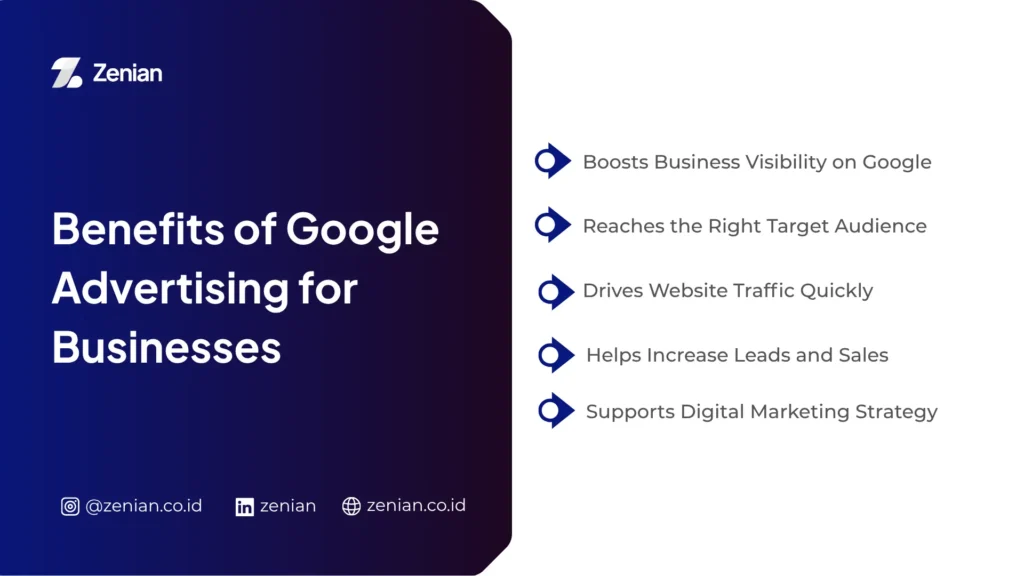
Benefits of Google Advertising for Businesses
Google Ads helps businesses show up in Google search results when potential customers are looking for specific products or services. Here are some key benefits of Google advertising for businesses:
1. Boosts Business Visibility on Google
Google ads help businesses appear on the first page of search results, making them easier for potential customers to find. This positioning makes a business look more professional and credible in the eyes of internet users.
Furthermore, ads typically display in the above-the-fold area—the part of the page that is immediately visible without scrolling. This is highly beneficial for new businesses wanting to introduce their products or services to a broader audience in a short period.
2. Reaches the Right Target Audience
One of the primary advantages of Google Ads lies in its highly specific targeting capabilities. This system allows businesses to display ads only to people who are potentially interested in the products being offered.
Some of the targets you can configure include:
- Relevant search keywords
- Specific geographic locations
- Audience age and gender
- Type of device used
- Internet users’ interests and habits
Additionally, the remarketing feature allows ads to reappear to visitors who have previously opened the business website. This strategy helps increase the likelihood of a purchase.
3. Drives Website Traffic Quickly
Unlike SEO, which requires a lengthy process, Google ads can bring in visitors much faster. Once a campaign is active, the ad can immediately appear in search results and start drawing potential customers to the website.
This speed makes Google Ads ideal for promoting new products, boosting seasonal sales, or accelerating the growth of an expanding business.
4. Helps Increase Leads and Sales
Well-targeted ads help businesses secure more leads and sales. When an ad appears to someone who genuinely needs a specific product, conversion rates are typically higher.
Moreover, using relevant keywords helps businesses reach potential customers who have a strong intent to buy. That is why many businesses utilize Google Ads to maximize profits while expanding their market.
5. Supports Digital Marketing Strategy
Google Ads also helps businesses understand audience behavior through highly accurate data. Campaign performance can be monitored in real-time, ranging from the number of clicks and impressions to successful conversions.
From these results, businesses can discover which strategies are most effective at attracting customers.
Read Too: 7 Ways to Create an Effective Landing Page: A Complete Guide!
Preparation Before Advertising on Google Ads
Before running an ad campaign, you need to prepare the right strategy so your promotional budget does not go to waste. This preparation helps ads appear more relevant, reach the appropriate target, and increase the chances of securing sales or new prospects.
1. Define Your Advertising Goals
The first step you need to take is determining the main goal of your campaign. Google Ads provides several goal options that can be tailored to your business needs. Choosing this goal will influence how Google’s system displays and optimizes your ads.
Here are some of the most commonly used advertising goals:
- Sales: Helps increase sales of products or services, both online and offline.
- Leads: Encourages visitors to fill out forms, contact the business, or leave their contact details.
- Website Traffic: Drives more visitors to the website to increase traffic.
- Brand Awareness and Reach: Helps expand brand reach so the brand becomes better known to the audience.
- App Promotion: Encourages users to download an app or perform specific activities within the app.
2. Prepare Your Website or Landing Page
After defining your advertising goal, the next step is to prepare your website or landing page. This page will be the first place users visit after clicking your ad.
Because of this, the quality of your destination page heavily influences conversion rates. If the page feels slow, confusing, or irrelevant, visitors will usually leave immediately without taking any action.
Key points to consider include:
- Ensure the page is relevant to the ad content.
- Use informative content.
- Optimize website speed.
- Add clear Call-to-Action (CTA) buttons.
- Run A/B Testing.
3. Determine the Ad Budget
Google Ads gives you complete freedom in managing your ad budget. You can decide for yourself how much money you want to spend each day based on your business needs and financial capacity.
For beginners, it is best to start with a small budget. This approach helps you understand ad performance without having to spend heavily upfront.
Things to understand when setting a budget:
- Google’s system will automatically pause ad delivery once the daily cost limit is reached.
- Use a low budget for the initial phase, then increase it gradually after finding an effective strategy.
- You can estimate your budget requirements using the following formula:$$\text{Search Volume} \times \text{Cost Per Click (CPC)} \times \text{Expected Click-Through Rate (CTR)}$$
4. Conduct Google Ads Keyword Research
Keyword research is vital for search ads. These keywords trigger your ads to appear when users search for something on Google. If you choose the right keywords, your chances of getting clicks from a potential audience will be much higher.
To conduct research, you can use tools such as:
- Google Keyword Planner
- UberSuggest
Both tools help find keywords with high search volumes and relevance to your business.
To make your ad spend more efficient, utilize the Negative Keywords feature as well. This feature helps filter out irrelevant searches such as the words “free” or “how-to” so your ads do not display to audiences who have no intention of making a purchase.
5. Create a Google Ads Account
Once all preparations are complete, you can start creating a Google Ads account to run your first campaign.
The registration process is quite simple: visit the official Google Ads website and click the “Start Now” button. After that, sign in using an active Google account.
During the account creation process, Google usually offers a Smart Campaign option. This mode uses machine learning technology to help manage ads automatically, making it highly beginner-friendly.
However, if you want to configure your target audience, keywords, and bidding strategies in greater detail, you can switch to Expert Mode.
Finally, complete your billing information, including:
- Billing country
- Time zone
- Payment method
Google Ads supports various payment methods, ranging from credit cards, bank transfers, ATMs, to GoPay, making transaction processes highly flexible.
Step-by-Step Guide to Creating Ads on Google
Since the majority of internet users utilize this search engine every day, the opportunity to gain traffic, prospects, and sales is massive. Here is how to create an ad on Google:
1. Log In to Google Ads
The first step begins by opening the official Google Ads website via your browser. Once the main page opens, click the “Start Now” button, and sign in using your existing Google account.
If you do not have an account yet, Google will guide you through a simple registration process, starting from filling out business data to basic ad account setups. After successfully logging in, you will be directed to the dashboard page to begin creating your first campaign.
2. Create a New Campaign
Once logged in, the system will offer to create a new campaign. For beginners, Google typically suggests using a Smart Campaign because the setup process is more automated with the help of machine learning technology.
However, if you want to manage your ad strategy in finer detail, select the “Switch to Expert Mode” menu. This mode provides broader control over target audience settings, keywords, ad types, and bidding strategies.
3. Determine the Campaign Objective
The next stage is choosing the main objective of your ad. Defining an objective is crucial because Google’s system will optimize ad performance based on that target. Choosing the right objective ensures the ad optimization process runs more effectively.
4. Choose the Google Ads Campaign Type
After defining your objective, the next step is choosing the campaign type. The campaign type determines where your ad will appear and how its format looks to the audience.
Here are some of the most common campaign types used:
- Search Campaign: Displays text ads in Google search results when users type specific keywords.
- Display Campaign: Displays image or text ads on Google partner sites.
- Shopping Campaign: Displays a product catalog complete with images, prices, and purchase links.
- Video Campaign: Displays video ads on YouTube and other partner platforms.
- App Campaign: Used to promote applications to secure more installations.
The choice of campaign type should be aligned with your marketing goals and the characteristics of your target audience.
5. Define Target Audience Location
Google Ads allows advertisers to specify precise locations for ad delivery. This setting helps businesses reach audiences who are genuinely relevant.
Target locations can be configured in several options, such as:
- Entire countries
- Specific cities or regions
- A certain radius around a business location
In addition to location, select the language used by your target audience. Language settings help Google’s system display ads to users according to their language preferences.
6. Set Budget and Bidding
One of the advantages of Google Ads is its flexibility in managing ad costs. Advertisers can determine budgets according to their financial capacity without having to spend heavily upfront.
Here are two important settings to consider:
- Budget: Set a daily budget limit so that spending remains controlled. Beginners usually start with a small amount before conducting further optimization.
- Bidding: Set the cost you are willing to pay for each click, impression, or conversion. Users can choose automatic bidding to let Google’s system work automatically, or use manual bidding for more detailed cost control.
Proper setup helps ads stay effective without draining your marketing budget.
7. Add Ad Keywords
Keywords play a major role in determining when your ad will appear in Google search results. Therefore, use keywords that are highly relevant to the products or services offered.
Google Ads provides several keyword match types:
- Broad Match: Reaches searches that include similar word variations.
- Phrase Match: Displays ads on searches containing a specific phrase structure.
- Exact Match: Displays ads only for highly specific searches.
8. Write Compelling Ad Copy
Engaging ad text can increase the chances of an audience clicking your ad. Therefore, compose your ad with short, clear, and persuasive sentences.
Key components in text ads include:
- Headline: The title section that is most prominent and grabs the audience’s attention.
- Description: A brief explanation regarding the benefits or advantages of the product.
- Call-to-Action (CTA): Action-oriented phrases such as “Buy Now”, “Register Today”, or “Learn More”.
To optimize performance, use the Responsive Search Ads (RSA) feature. This feature allows Google to combine several variations of headlines and descriptions to find the most effective ad combination.
9. Publish the Google Ads Campaign
Before your ad goes live, double-check all campaign settings. Ensure that the target audience, budget, keywords, and ad text are correct.
After that, complete your billing information and choose your preferred payment method, such as a credit card, bank transfer, ATM, or GoPay. If all data is correct, click the “Publish” or “Launch Campaign” button.
Google will typically review the ad within 1 to 24 hours before it starts displaying to the audience.
How to Advertise on Google Ads Based on Campaign Type
Each type of ad has a different format, placement, and mechanism. Therefore, understanding the characteristics of each campaign will help you determine a more effective promotional strategy.
1. Search Ads (Ads in Search Results)
Search Ads allow businesses to display text ads on Google search result pages. This type of ad appears when users type specific keywords that are relevant to the products or services offered.
How this ad works relies heavily on keyword selection. The more relevant the keywords used, the greater the chance the ad will appear in front of potential customers who actually need that solution. This is why many businesses use Search Ads to drive website traffic and sales quickly. Ads usually consist of an engaging headline, a short description, and a link pointing to a website or landing page.
2. Display Ads (Website Banner Ads)
Display Ads help businesses showcase visual advertisements in the form of images, text, or banners across various Google partner websites through the Google Display Network.
This type of ad usually appears when the audience is reading articles, opening apps, or checking emails on mobile devices. Because they are presented visually, Display Ads are effective for introducing a brand to a wider audience.
One of the standout features of this ad type is remarketing. This feature allows businesses to re-display ads to people who have previously visited their website.
3. Shopping Ads for Products
Shopping Ads are perfect for e-commerce businesses looking to showcase products directly in Google search results. This type of ad displays product photos, names, prices, and store names all in one attractive layout.
With this format, potential buyers can compare products directly before opening the store’s website. This makes the product search process feel more practical and fast.
Usually, these ads appear at the top of Google search results or on the “Shopping” tab. Because they look more visual compared to regular text ads, Shopping Ads often yield higher click-through rates, especially for products with appealing photos and competitive pricing.
4. Video Ads on YouTube
Video Ads allow businesses to promote products through videos on YouTube as well as other Google partner sites. This type of ad is effective for delivering messages visually while building an emotional connection with the audience.
Google provides several video ad formats, such as:
- In-stream ads (skippable or non-skippable).
- Discovery ads that appear on YouTube recommendation pages.
Video duration is usually kept short, around 6 to 15 seconds, so the audience remains focused on the core message being delivered. With a compelling video concept, businesses can boost brand appeal while expanding promotional reach.
5. Performance Max Campaign
Google also provides an automated campaign type that leverages machine learning technology to help optimize ad performance. Through this system, advertisers only need to input information such as business name, ad assets, promotional targets, and budget.
After that, Google will automatically handle targeting, placement, and ad optimization. This campaign type is highly suitable for beginners who want to run ads without needing to understand too many technical settings.
Maximize Your Google Ads with Zenian!
Google Ads is an effective solution for businesses that want to reach audiences quickly, accurately, and measurably. If managing ads feels quite complex, you can partner up with a professional team to ensure your digital strategy is better executed.
PT Zenian Digital Lab is ready to help your business develop more effective Google Ads campaigns. To find out which advertising strategy best suits your business needs, visit Zenian and start consulting for more optimal digital marketing development.
Read Too: 6 Differences Between SEO and SEM for Business Digital Strategy