


Understanding how to use Google Trends is essential before conducting Google keyword research. But do you truly understand what Google Trends is and how it works?
Many people simply look at the graphs without understanding the real function of Google Trends. In fact, when used with the right strategy, you can uncover hidden opportunities and accurately analyze market behavior.
What Is Google Trends?
Google Trends is a free service from Google that provides data and graphs about the popularity level of a topic or keyword that users search for through the Google search engine and YouTube.
This service helps marketers and content creators conduct keyword research, monitor search trends over a certain period, and analyze audience interest based on geographic regions.
Google first launched this service in 2006 and continued developing it until releasing an updated version in May 2018.
Google Trends works by processing data using a normalization process so users can compare search terms proportionally. The system does not display absolute search numbers, but rather relative volumes that have already been processed.
The Function of Google Trends in Digital Marketing Strategy
By utilizing the function of Google Trends and the available data, you can make marketing decisions that are more focused, measurable, and relevant to market needs.
Here are the functions it offers:
Viewing Search Trends Over Time:
Monitor audience interest during a specific period through the “Interest over time” graph. This feature visually displays the movement of topic popularity, making analysis easier.
Comparing Multiple Keywords at Once:
The comparison feature allows you to analyze up to five keywords or topics within a single graph. You can immediately see the performance differences between each term side by side.
Understanding Audience Interest by Location:
The platform also presents the distribution of search interest based on geographic regions, ranging from global level to subregions such as provinces or cities.
Identifying Seasonal Topics:
You can track seasonal trends to create content calendars and long-term promotional strategies more effectively.
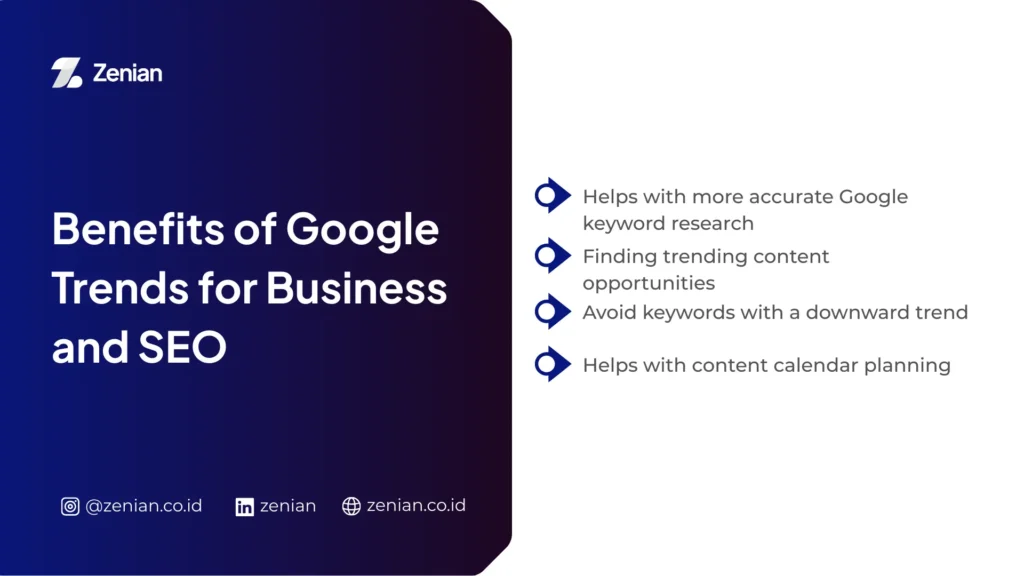
Benefits of Google Trends for Business and SEO
Understanding audience behavior is a key factor in digital strategy. This is where Google Trends plays an important role. This free platform from Google provides many benefits for businesses, such as:
1. Helps Conduct More Accurate Google Keyword Research
Google Trends provides a perspective that is not always available in traditional keyword research tools. You can compare up to five keywords simultaneously to see which one has a higher level of interest.
This feature simplifies analysis before determining optimization priorities. The platform also displays interest graphs so you can observe trend movements over time. This data helps determine whether a keyword is still relevant or beginning to decline.
Through the Related queries feature, you can find variations of terms that audiences actually use. Additionally, you can filter data based on region, province, or city to optimize local SEO strategies more precisely.
2. Discover Trending Content Opportunities
Google Trends helps you move faster in understanding market trends. You can identify popular topics directly from the homepage to gain content ideas with high engagement potential.
The related query feature with the “Rising” label allows you to find developing topics before competitors take advantage of them. This strategy gives you a competitive advantage because you produce content when interest is just starting to grow.
By switching the filter to “YouTube Search,” you can also analyze video search trends. This data helps optimize video titles and descriptions to better match audience search behavior.
3. Avoid Keywords with Declining Trends
Targeting keywords without analyzing long-term trends can harm your SEO strategy. The interest graph in Google Trends helps you differentiate between stable trends and temporary spikes.
You can analyze historical data to determine whether a topic is only popular during a specific period. Features such as “Year in Searches” help identify seasonal keywords or topics that have already lost momentum.
By understanding declining trends early, you can save time, effort, and content production costs for topics that are no longer relevant.
4. Helps Plan a Content Calendar
Google Trends is very effective for developing long-term content strategies. You can track seasonal trends such as Eid, Christmas, or other national events to determine when audiences start searching for these topics.
Historical data from up to the last five years helps predict when trends will reach their peak. This allows you to produce and publish content earlier so it is ready when traffic increases.
The related queries feature also supports the development of topic clusters that strengthen internal link structures and website authority.
In addition, seasonal trend insights help companies determine the right time to increase PPC advertising budgets to maximize potential ROI.
Read Too: 8 Benefits of SEO for Businesses in the Digital Era
How to Use Google Trends for Google Keyword Research
With a systematic approach, the available data can be transformed into strategic insights to determine keyword priorities and identify market opportunities more accurately. Here are the steps you can apply.
1. Enter the Main Keyword
First, open the Google Trends website and type a keyword into the search box. The system will immediately display trend data based on the term entered.
Tips for choosing relevant seed keywords:
- Use general terms that match the industry or main topic, such as “shoes,” “hosting,” or “marketing.”
- Choose words that are clear and specific to produce more accurate analysis results.
- Start with a broad topic, then identify subtopics or detailed variations based on the data that appears.
This approach helps you find a more structured direction for content development.
2. Analyze the Search Trend Graph
After entering a keyword, the system will display the Interest over time graph.
Google does not show absolute search numbers. Instead, it uses a 0–100 scale as an indicator of relative popularity. A score of 100 indicates the highest popularity peak during a certain period, while 0 means insufficient data.
Understanding increase and decrease patterns:
- Stable or increasing trends indicate consistent or growing interest.
- Sharp spikes are usually triggered by viral phenomena or seasonal events.
- Continuous decline suggests weakening traffic potential and should be reconsidered before targeting.
Reading the overall graph pattern helps determine whether a keyword is suitable for long-term development.
3. Compare Multiple Keywords
Use the Compare feature to enter up to five keywords at once. The system will display performance comparisons within a single graph.
Strategies for choosing the most potential keyword:
- Compare several variations of terms, for example “running shoes” and “marathon shoes,” to determine which one has higher interest.
- Observe graph consistency, not just temporary peaks.
- Use comparison data as the basis for competitive benchmarking to analyze your brand’s position relative to competitors.
This strategy helps determine which keywords have the greatest traffic opportunities.
4. Use Location and Time Filters
Filters allow you to narrow data so it becomes more relevant to your target audience. Choose a country, province, or city through the “Interest by subregion” feature.
This data supports the creation of location-based pages or content, such as landing pages targeting specific regions.
12-month vs 5-year trend analysis:
- A 12-month period helps identify the latest trends currently developing.
- A 5-year period helps identify seasonal patterns that repeat every year, such as holidays or national events.
By comparing time periods, content strategies can be planned more carefully and strategically.
5. Analyze Related Topics and Related Queries
At the bottom of the page, you will find Related topics and Related queries, which contain other terms relevant to the main keyword.
The Related queries section often shows longer and more specific phrases. This data is highly effective for developing content ideas based on long-tail keywords, which typically have lower competition but more targeted traffic.
Also pay attention to the Rising or Breakout labels. The breakout label indicates a very significant increase in search volume within a short time. This signals a trending topic opportunity that should be targeted quickly before competition increases.
Strategy for Combining Google Trends with Google Keyword Research
Combining data from Google Trends with other research tools helps you analyze search behavior more accurately. Here are strategies you can apply:
Combine with Google Keyword Planner (Search Volume):
Google Trends does not display absolute search volume, but it provides the time dimension and relative popularity levels that are crucial for SEO decision-making.
Integrate with On-Page SEO:
You can directly integrate trend data into page elements to strengthen content relevance and structure.
Use Trend Data to Optimize Titles and Meta Descriptions:
Trend insights help you create titles and descriptions aligned with the actual terms audiences are currently searching for.
Common Mistakes When Using Google Trends
Although Google Trends helps you quickly analyze search trends, many users still make mistakes when interpreting its data. To avoid them, you need to understand how the data works and the context behind each graph.
Misinterpreting Index Data (0–100)
Many people assume that the numbers on the graph represent the total number of searches directly. In reality, this assumption is incorrect.
Not Absolute Volume:
Google Trends does not display total search numbers. Instead, it shows relative search volume indexed on a 0–100 scale.
Meaning of the Number 100:
A score of 100 represents the highest popularity point within the selected period and region. If the graph shows 50, it means interest is half of the peak level, not half of all internet searches.
Data Has Been Normalized:
The system divides each data point by the total number of searches during that time and location. This normalization process prevents regions with large populations from always appearing dominant.
Zero Does Not Mean No Searches:
When the graph drops to a low number or 0, it does not necessarily mean there were no searches. It only indicates that interest was significantly lower than its peak.
Not Using Regional Filters
Some users analyze trends globally without adjusting them to their target market. This habit can mislead marketing strategies.
Interest in a topic may be very high in one province but low in another region. Ignoring geographic factors may lead you to create content that is not relevant to your main audience.
Focusing Only on Volume, Not Intent
Some keywords are seasonal. For example, searches related to breaking-fast menus increase during Ramadan and decline afterward. You need to recognize these patterns to avoid misallocating resources.
A sharp spike does not always mean the trend will last long. Viral topics may only be popular temporarily before quickly losing traffic.
You should treat this platform as a directional tool, not the only source of data. Combine its insights with other research tools and business considerations to develop more accurate strategies.
Want Your Keyword Research to Be More Strategic and Generate Traffic?
Knowing what your audience searches for in real time helps you stay relevant in a competitive digital landscape. However, data alone is not enough to drive results.
You need to transform those insights into a structured strategy through comprehensive website optimization to increase organic traffic, strengthen brand credibility, and generate measurable business growth.
PT Zenian Digital Lab is here as a consultant and SEO service provider with an integrated 360° approach. If you want to seriously improve your digital performance, contact the Zenian team and start your consultation today!
Read Too: Definition of SEO On Page, Its Functions, and Optimization Methods