


Understanding how to use Google Trends for market research is a smart step when you want to understand audience behavior and discover hidden business opportunities. In today’s digital era, you can no longer rely solely on intuition, you need accurate and relevant data.
With the help of tools like Google Trends, you can track the popularity of a topic, compare keywords, and identify seasonal patterns. This article will discuss the basics of trend analysis in a practical way, so you can make decisions that are more precise, targeted, and data-driven amid increasingly dynamic market competition.
What Is Google Trends?
Google Trends is a free service from Google that allows you to monitor how popular a keyword or topic is in Google searches over time.
Google first released this platform on August 5, 2008, under the name Google Insights for Search, and later rebranded it as Google Trends on September 27, 2012.
Google Trends displays data in the form of graphs that illustrate changes in search interest for a particular keyword. This system processes search data and presents it visually to make it easier to understand.
Here are some of its main working aspects:
- Search Volume Index: This feature shows when a product, service, or topic reaches its peak popularity based on search volume.
- Geographic and Time Filters: You can adjust data based on specific locations and time ranges, from daily to yearly, for more specific analysis.
- Comparison Feature (Compare): This feature allows you to compare multiple keywords at once to see which one has higher or more stable trends.
- Related Trends Exploration: This platform displays related topics and queries that are frequently searched, helping you better understand audience needs and interests.
- Data Visualization: Google Trends presents data in various visual formats, including graphs and regional distribution, making it easier to analyze user search behavior.
In digital marketing, Google Trends plays an important role in helping businesses make data-driven decisions. You can use this platform to understand market dynamics more accurately.
What Is Google Trends Used For?
Google Trends is a free service from Google that functions as an analytical platform to monitor how popular a topic or keyword is in global search. Google Trends helps identify topics that are trending and widely searched by internet users.
You can use this tool for various purposes, such as:
- Analyzing audience interest: You can determine audience interest levels through search queries and frequently appearing related topics.
- Geographic trends: You can monitor interest based on specific locations, making it easier to determine areas with the greatest market potential.
- Identifying new opportunities: You can find business opportunities by identifying rising keywords that are not yet widely utilized.
- Competitor analysis: You can compare the popularity of brands or products with competitors in the same market.
- Choosing the best keywords: You can determine the best-performing keywords based on search volume and stability.
- Advertising budget efficiency: You can allocate advertising budgets more effectively by focusing on high-trend keywords.
- Tracking seasonal trends: You can recognize seasonal patterns to determine the best timing for campaigns or increasing product stock.
- Long-term trends: You can evaluate whether a product shows stable growth or declining interest.
- Predicting business prospects: You can estimate the success potential of a product by analyzing trend movements over time.
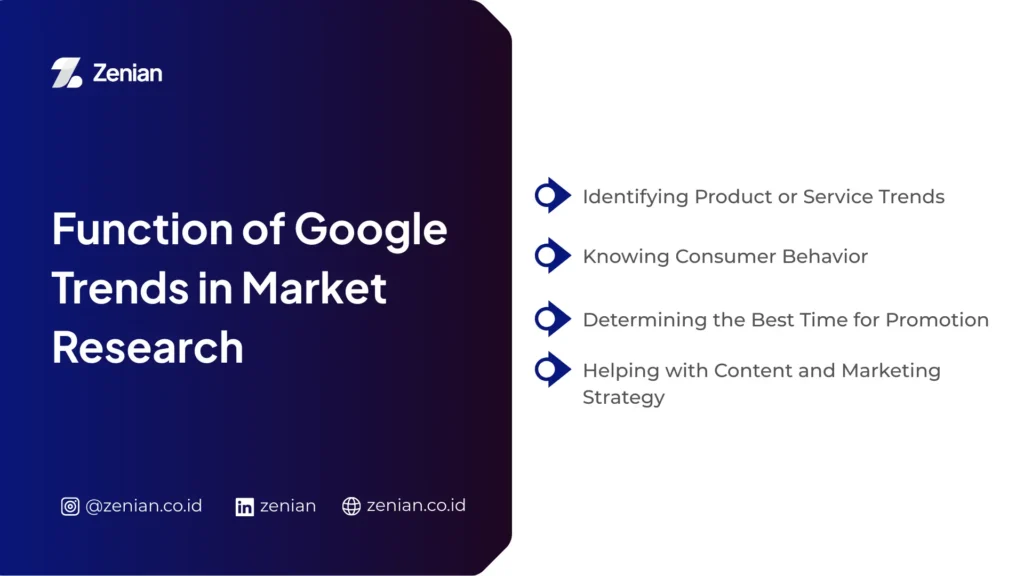
Functions of Google Trends in Market Research
Google Trends helps you view search trends, geographic distribution, and frequently asked questions by users. This information is supported by the following functions:
1. Identifying Product or Service Trends
Google Trends helps you find products or services that are in demand during a certain period. The “rising keywords” feature shows increasing search interest, which can signal new market opportunities. You can also use the compare feature to analyze multiple keywords at once.
For example, you can compare the trends between “jeans pants” and “denim skirt” before deciding which product to market. With this approach, business decisions become more data-driven rather than based on assumptions.
2. Understanding Consumer Behavior
Through Google Trends, you can better understand consumer behavior based on their search patterns. The available data includes geographic interest, allowing you to identify regions with the highest demand for a product.
Additionally, the related queries feature helps identify other topics frequently searched by audiences. You can also analyze declining interest in certain products through trend graphs, allowing you to adjust strategies quickly to avoid potential losses.
3. Determining the Best Time for Promotion
Google Trends allows you to identify when a product or service reaches peak popularity. By understanding seasonal and long-term trends, you can determine the most effective time to run promotions.
This strategy not only increases sales opportunities but also helps manage inventory according to market demand. As a result, business operations become more efficient and well-planned.
4. Supporting Content and Marketing Strategy
In digital marketing, Google Trends serves as a guide to creating relevant and targeted strategies. You can find high-volume keywords to improve SEO performance.
In addition, trend data helps optimize paid advertising budgets by focusing on keywords that are currently popular. You can also validate content ideas or marketing campaigns before execution, ensuring that every step is backed by strong and measurable data.
Benefits of Google Trends for Market Research
The data presented is real-time, making analysis more relevant and contextual. Here are its benefits:
- Helping understand market needs: Google Trends makes it easier to monitor market interest and demand in real time. You can see how popular a keyword or topic is to understand consumer preferences.
- Identifying emerging business opportunities: Trend analysis helps uncover new opportunities by identifying rising keywords and adapting strategies accordingly.
- Reducing decision-making risks: Using Google Trends allows you to make decisions based on data rather than assumptions. You can validate business ideas through statistical trend data before execution.
- Supporting data-driven digital marketing strategies: You can optimize SEO by identifying keywords with high search volume.
How to Use Google Trends for Market Research
Through Google Trends, you can read audience search patterns and uncover opportunities that were previously hidden. Here are practical steps you can apply:
1. Enter the Main Keyword
The first step is to determine a keyword relevant to your business or topic.
- Use relevant keywords: Enter terms in the “Enter a search term or topic” field based on your business needs.
- Example: If you want to analyze the fashion market, enter keywords such as “jasa digital marketing.” Make sure you set the location, such as Indonesia, so the data matches your target market.
2. Analyze Search Trend Graphs
After entering a keyword, Google Trends will display a graph showing search interest over time.
- Understanding fluctuations: The graph shows whether interest is increasing, decreasing, or stable.
- Determining market timing: Pay attention to spikes or drops to estimate the best time to offer products. This helps avoid risks when market interest is declining.
3. Compare Multiple Keywords
The comparison feature helps you make better decisions based on data.
- Comparing products or services: Use the “Compare” feature to analyze multiple keywords, such as “digital marketing services” and “jasa digital marketing.”
- Selecting the most potential keyword: From the comparison results, you can choose the keyword with the best search performance. This feature is also useful for competitor analysis within the same industry.
4. Use Location and Time Filters
To make your analysis more accurate, utilize the available filters.
- Adjusting local target markets: Select specific locations to identify areas with the highest interest in a product. This helps determine distribution and marketing strategies.
- Analyzing trends by period: Set time ranges such as the last 7 days or 12 months to identify seasonal patterns. This helps plan marketing strategies at the most effective times.
5. Analyze Related Queries and Topics
This section is often overlooked, even though it contains valuable insights.
- Finding new keyword ideas: The “Related Queries” and “Related Topics” features show other terms frequently searched alongside your main keyword.
- Developing content strategy: Use this data to create more relevant content for blogs, social media, and SEO optimization to improve website visibility.
Tips for Optimizing Google Trends for Business
Optimizing Google Trends helps businesses understand market dynamics and make data-driven decisions. You can improve marketing effectiveness and strengthen your competitive position with the following tips:
- Combine with other keyword research tools to get more complete and accurate data.
- Use data for SEO content strategy by analyzing trending topics and creating relevant content across blogs, videos, and social media.
- Monitor trends regularly to stay ahead in decision-making and identify seasonal or yearly patterns that influence market behavior.
Maximize Market Research with the Right SEO Strategy
Google Trends helps businesses understand user search behavior and analyze trends in real time. By utilizing features such as geographic analysis and keyword comparison, you can make more accurate strategic decisions, from content planning to product launches.
However, data alone is not enough without the right strategy. With the support of Search Engine Optimization (SEO) services from PT Zenian Digital Lab, you can turn insights into real business growth. It’s time to optimize your digital potential and grow your business faster with the right partner.
Read Too: How to Create URL: A Complete Guide to Proper URL Structure