


To execute a digital marketing strategy much more effectively, one crucial thing to understand is how to check website rankings. Without knowing where your website stands on Google, you will struggle to measure SEO effectiveness and miss opportunities to win against the competition.
Amidst continuous algorithm updates, monitoring your ranking is an essential necessity. Through this guide, you will understand various methods and tools to accurately check website performance while discovering the right strategies.
What is Website Ranking?
Website ranking is the position of a site on Google’s search results page or Search Engine Results Page (SERP) for a specific keyword. The higher the website’s position, the greater the chance for users to find and visit the page.
Google determines rankings based on many factors, ranging from content quality, keyword usage, and website speed to user experience. Additionally, Google’s algorithm changes constantly, causing website positions to rise or fall at any time.
When a website successfully reaches the first page of Google, the chances of getting clicks typically increase significantly compared to subsequent pages. This condition helps businesses expand audience reach, boost brand awareness, and drive conversions.
How to Check Website Rankings on Google
Monitoring your website’s position helps you understand the progress of your ongoing SEO strategy. Here are several methods you can use to check your website’s ranking on Google.
1. How to Check Website Rankings Manually on Google
The manual method is suitable when you want to view your website’s position directly on Google search results without the help of additional tools.
Here are the steps:
- Open your browser using Incognito Mode so that search history does not affect the search results.
- Type the target keyword into the Google search bar.
- Check the search results pages until you find the website domain you want to check.
While this method is quite easy to do, it is less effective if you need to monitor many keywords simultaneously. Furthermore, search results can also vary depending on the user’s location and the device used.
2. How to Check Website Rankings Based on Keywords
Checking based on keywords helps you determine the performance of specific keywords on Google. This method is typically used to monitor pages that have a specific search target.
Some frequently used tools include:
- Google Search Console (GSC)
- SERPRobot
- SERPWatcher
Through Google Search Console, you can access the Performance menu to view data on clicks, impressions, and the average page position for specific keywords. This data helps you understand which keywords drive the most organic traffic.
Meanwhile, SERPRobot and SERPWatcher allow you to input your website domain along with a list of keywords to find out ranking positions more quickly and in greater detail.
To make the monitoring process more effective, focus on keywords that have high conversion potential and are relevant to your target audience.
3. How to Check Competitor Website Positions
Monitoring competitors helps you understand the strategies they use to secure top positions on Google. This way, you can formulate a more competitive optimization strategy.
Some commonly used tools for competitor analysis include:
- SERPChecker
- Semrush
- Ahrefs
SERPChecker helps you see the top-ranking websites for a specific keyword, complete with metrics like Domain Authority (DA) and Page Authority (PA).
Meanwhile, Semrush and Ahrefs provide more comprehensive domain analysis features. You can view competitors’ organic keywords, estimated traffic, and automatic website position comparisons.
4. How to Correctly Read Website Ranking Results
After gathering ranking data, the next step is to understand the meaning of each metric that appears. This understanding helps you make more accurate optimization decisions.
Key elements to pay attention to include:
- Ranking Position: Smaller numbers indicate a better position on Google. Position 1 means the page is at the very top of the search results.
- Average Position: In Google Search Console, this metric shows the average position of a page over a specific period.
- Impressions and Clicks: High impressions but low clicks usually indicate that the title or meta description fails to grab user attention.
- Global and Local Rank: Some tools, like Alexa Rank, display website rankings globally or based on specific countries.
- Historical Trends: Compare ranking data periodically to see whether your website’s performance is improving or declining.
Read Too: SEO Targeting: Objectives, Impact, and How to Measure Success
Tools to Check Website Rankings
Today, you can choose free tools for basic needs or use premium tools with more complete analytical features. Here are some tools you can utilize:
1. Checking Website Rankings in Google Search Console
Google Search Console (GSC) is a must-have tool for website owners because Google provides data directly from their search system. This tool helps you view website page performance based on keywords that successfully generate organic traffic.
Through Google Search Console, you can find out important data such as:
- Average page position in search results
- Number of clicks the website receives
- Total impressions, or how often the page appears on Google
- Click-Through Rate (CTR) value
- Keywords that bring in visitors most frequently
The implementation is quite simple:
- Open Google Search Console and ensure the domain is verified as a Property.
- Select the Performance menu on the left sidebar.
- Scroll down to see the complete list of keywords along with clicks, impressions, and the website’s average position.
By routinely monitoring this data, you can identify which pages need improvement to achieve higher rankings on Google.
2. Using Ahrefs for Rank Tracking
Ahrefs is one of the professional tools most frequently used by SEO practitioners. This tool can help you track hundreds of keywords automatically while displaying ranking changes in detailed historical graphs.
In addition to monitoring keyword positions, Ahrefs also helps you conduct deep competitor analysis. You can compare website performance with competitors to identify optimization opportunities that can still be developed.
Features offered by Ahrefs include:
- Automatic keyword tracking
- Website backlink analysis
- Website health monitoring (Site Health)
- Keyword search volume analysis
- Performance comparison with competitors
3. How to Use SEMrush for Keyword Monitoring
SEMrush serves as an analytical platform that helps you monitor website performance across various search engines. This tool does not just focus on keyword rankings but also provides various comprehensive SEO optimization features.
To check website performance using SEMrush, you can use the Domain Overview feature. Simply enter the domain name and select the target country you want to analyze.
From these results, you can view:
- Top organic keywords
- Keyword positions in search engines
- Number of backlinks
- Authority score value
- Link building performance
- Real-time on-page SEO evaluation
This data helps you understand your website’s strengths while finding areas that still need improvement so that rankings continue to rise.
4. Ubersuggest for Checking Website Keyword Positions
Ubersuggest is a favorite tool because its interface is simple and user-friendly, especially for beginners and SEO Specialists alike. This tool helps you monitor keyword movements practically without complicated processes.
Besides displaying keyword positions, Ubersuggest can also provide automatic notifications when your website ranking drops. This way, you can immediately perform an evaluation before organic traffic drops drastically.
The tool also provides additional information such as:
- New keyword ideas
- Search volume
- Keyword difficulty level
- Competitor page analysis
Because its features are quite comprehensive, many website owners use Ubersuggest to help develop content strategies and long-term SEO optimization.
5. SERProbot and Small SEO Tools for Free Ranking Checks
SERProbot allows you to check website positions based on specific keywords while viewing the list of the top 10 websites competing for those keywords.
It is very easy to use:
- Select the search Region.
- Enter the website domain name.
- Add up to 10 target keywords.
- Click the check button to see the ranking results.
This tool is ideal for quick monitoring of your website’s main keywords. Meanwhile, Small SEO Tools provides a simple ranking checker feature that helps you discover keyword positions automatically.
This tool displays brief data regarding page ranking changes, making it suitable for website owners who are just learning SEO. Apart from being easy to use, these tools help you monitor optimization progress without needing to use more complex premium platforms.
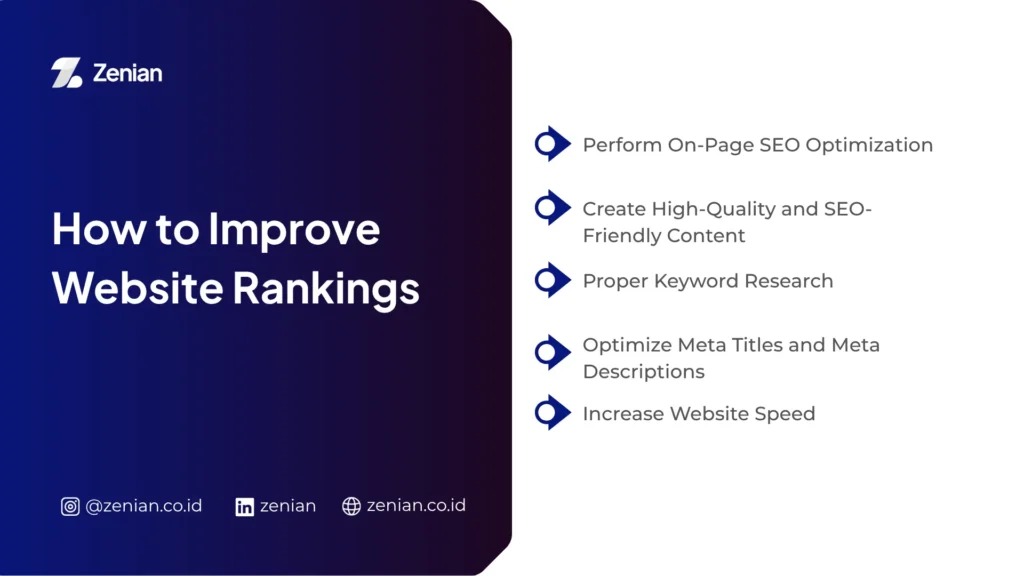
How to Improve Website Rankings
Knowing your website’s position on Google is important, but the next step which is much more decisive is improving its performance to compete on the first page of search results.
1. Perform On-Page SEO Optimization
On-page SEO optimization helps search engines understand your website content better. You can start by evaluating content structure, heading usage, keyword placement, and the quality of information presented.
When a page’s performance begins to decline, update it immediately so that the content remains relevant to user needs and the latest Google algorithms. Also, ensure each page has a focused discussion that does not stray too far off-topic, making it easier for search engines to recognize the website’s main theme.
2. Create High-Quality and SEO-Friendly Content
Quality content answers readers’ needs completely, clearly, and understandably. Google also prefers articles that provide real solutions over content that merely chases keyword placement.
To maintain content quality, take the following steps:
- Update old articles that are starting to lose traffic.
- Add newer, more relevant information.
- Use language that is easy for readers to understand.
- Create a neat article structure with clear headings.
- Present discussions that genuinely answer user questions.
Content that is continuously updated typically stands a better chance of maintaining its position in search results.
3. Proper Keyword Research
Keyword research helps you understand what users are actually looking for on Google. With the right keyword strategy, your website can reach a more relevant audience and potentially generate higher conversions.
Use data from Google Search Console to see keywords that are already bringing visitors to your website. Afterward, group keywords based on priority so the optimization process becomes more targeted.
Focus on keywords that have:
- Relevant search volume.
- Realistic competition levels.
- Potential to bring in prospective customers.
- Alignment with the website’s topic.
4. Optimize Meta Titles and Meta Descriptions
Meta titles and meta descriptions are the first elements users see on Google search pages. Therefore, you need to create attractive titles and descriptions to entice users to click on your website.
Use clear, concise titles that accurately describe the content. Meanwhile, craft descriptions that trigger curiosity without overpromising. This strategy can help boost your website’s Click-Through Rate (CTR).
5. Increase Website Speed
Websites with slow loading times often cause visitors to leave the page before the content fully loads. This condition can degrade user experience while negatively impacting SEO performance.
Several ways to increase website speed include:
- Compressing image sizes.
- Utilizing browser caching.
- Reducing excessive plugin usage.
- Choosing a stable hosting service.
- Optimizing code such as CSS, JavaScript, and HTML.
A fast website generally provides a more comfortable browsing experience for visitors.
6. Make the Website Mobile-Friendly and Easy to Use
Most internet users today access websites via smartphones. Therefore, the website interface must remain comfortable to use across various screen sizes.
Ensure website navigation is easy to understand, text size is clearly readable, and buttons can be clicked comfortably on mobile devices. A good user experience (UX) will help visitors stay longer on your website.
7. Build Quality Backlinks
Backlinks help boost website credibility in the eyes of Google. When other websites link to your page, search engines consider that your website has information worth referencing.
However, backlink quality is far more important than quantity. Therefore, focus on acquiring backlinks from websites that are relevant and have a good reputation. You can also use tools like Semrush or Ahrefs to analyze backlink profiles and compare them with competitors.
8. Optimize Internal Linking
Internal linking helps visitors find other related information within your website. Besides easing navigation, this strategy also helps Google understand the relationships between pages on your site.
Build a neat and relevant internal link structure so that page authority distribution becomes more optimal. This way, important pages on your website stand a better chance of gaining better ranking performance in Google search results.
SEO Optimization to Maximize Website Rankings
Boosting your website’s position on Google cannot be done instantly. You need to execute an SEO strategy consistently so that the website continues to grow and compete on search pages.
1. Understand the Importance of On-Page SEO and Off-Page SEO
- On-Page SEO focuses on the internal quality of the website. You need to create content that completely, clearly, and relevantly answers user needs. Additionally, the article structure must be neat to make it easier for search engines to comprehend the page content.
- Off-Page SEO helps boost website authority through link building. Quality backlinks can increase Google’s trust in your website.
2. Optimize Technical SEO for Websites
Aside from content, technical aspects play an important role in increasing website rankings. A website with good technical performance will be easier for search engines to crawl and understand.
Technical SEO aspects to note include:
- Ensuring fast website loading speeds.
- Making the website interface mobile-friendly.
- Using an XML sitemap in Google Search Console so Google can recognize the website structure more easily.
- Creating a clean internal linking structure to strengthen ties between important pages.
When technical aspects run optimally, user experience will also improve. This helps lower bounce rates while increasing the chances of pages staying longer in search results.
3. Maximize Local SEO Optimization for Local Businesses
For businesses targeting specific areas, a Local SEO strategy is a vital part of increasing website visibility. Local optimization helps businesses get discovered more easily by potential customers in areas that match the target market.
Additionally, you can boost local visibility by creating a business profile on Google Maps. This strategy helps your business stand out in local search results while increasing the chances of gaining traffic from nearby users.
4. Conduct Regular Ranking Monitoring
Routine ranking monitoring helps you understand the development of your website’s performance over time. Because website positions can change every day, periodic tracking is a critical step in an SEO strategy.
To make the monitoring process more effective, you can take the following steps:
- Focus on tracking keywords that have high conversion potential.
- Compare daily ranking data with the previous week’s performance.
- Identify pages experiencing a drop in traffic.
- Determine further optimization strategies based on data changes.
By conducting regular analysis, you can make decisions faster before your website’s performance suffers a larger decline.
Elevate Your Website Ranking with Zenian
Checking website rankings regularly helps you understand the evolution of your site’s performance. However, optimal results do not come instantly, as SEO requires a consistent, measurable strategy that aligns with user needs.
If you want to increase your website’s visibility without the hassle of managing the entire optimization process yourself, PT Zenian Digital Lab is ready to help through structured, data-driven SEO services. From keyword research and technical audits to high-quality content creation!
Read Too: 8 Ways to Create an SEO Friendly Website: A Complete Guide