

The advantages of HTTPS compared to HTTP are one of the main reasons why many modern websites switch to a more secure protocol. If you have ever noticed a padlock icon in your browser, it indicates that the site is using HTTPS.
Through this article, you will learn the meaning of HTTPS, understand how this security technology protects user data, and see the differences between HTTPS and HTTP more clearly. Read the full explanation below!
Definition of HTTPS
HTTPS stands for Hypertext Transfer Protocol Secure. This protocol is a more secure version of HTTP because it adds a protection system to the data exchange process on the internet.
In practice, this protocol works by managing communication between the browser as the client and the web server as the service provider. Websites use this system to protect user information so it cannot be accessed by unauthorized parties.
This protection is provided through the use of SSL (Secure Sockets Layer) or TLS (Transport Layer Security) certificates. These certificates create an encrypted connection so that data sent through the internet network remains secure during the transmission process.
The most noticeable difference between HTTPS and HTTP is security. HTTP sends data in plaintext, making it easy to intercept by other parties, while HTTPS sends data in encrypted form to maintain the confidentiality and integrity of information.
Differences Between HTTPS and HTTP
Both protocols function to send data between servers and browsers, but they work differently in terms of data protection. Below is a complete explanation:
1. Data Security System
HTTPS uses SSL (Secure Sockets Layer) certificates or its successor TLS (Transport Layer Security) to build an encrypted connection between the web server and the browser.
When the connection is established, the system scrambles the transmitted data so the information cannot be read by parties who do not have a valid decryption key.
In addition to the encryption process, this technology also performs authentication to ensure that users are truly connected to a valid server.
This mechanism helps prevent data manipulation during the transmission process and protects digital communication from interception attacks.
2. URL Display in the Browser
Websites that use HTTPS usually display a locked padlock icon in the browser’s address bar. In addition, the site address begins with https://, indicating that the connection has been encrypted.
On the other hand, sites that still use HTTP are often marked with security warnings by modern browsers.
For example, Google Chrome displays a “Not Secure” label to inform users that the connection does not have encryption protection.
3. User Data Protection
Many websites ask users to enter important data such as usernames, passwords, banking information, and credit card details when making e-commerce transactions. Without HTTPS protection, this data can easily be intercepted by hackers because it is transmitted without encryption.
With an encrypted connection, the data sent through forms becomes much more secure. This protection not only maintains the confidentiality of information but also increases user trust in a website.
Many internet users feel safer making transactions when they see security indicators on a website page.
4. Impact on SEO
Since 2014, Google has officially made HTTPS one of the ranking signals in its search algorithm. This means that websites using secure connections have a greater chance of achieving better positions on search engine results pages.
Search engines tend to prioritize sites that can protect their users. By using HTTPS, a website not only increases security but also strengthens credibility and its chances of gaining visibility on the internet.
Functions of HTTPS for Websites
Below are several functions of HTTPS that make this protocol very important for a website.
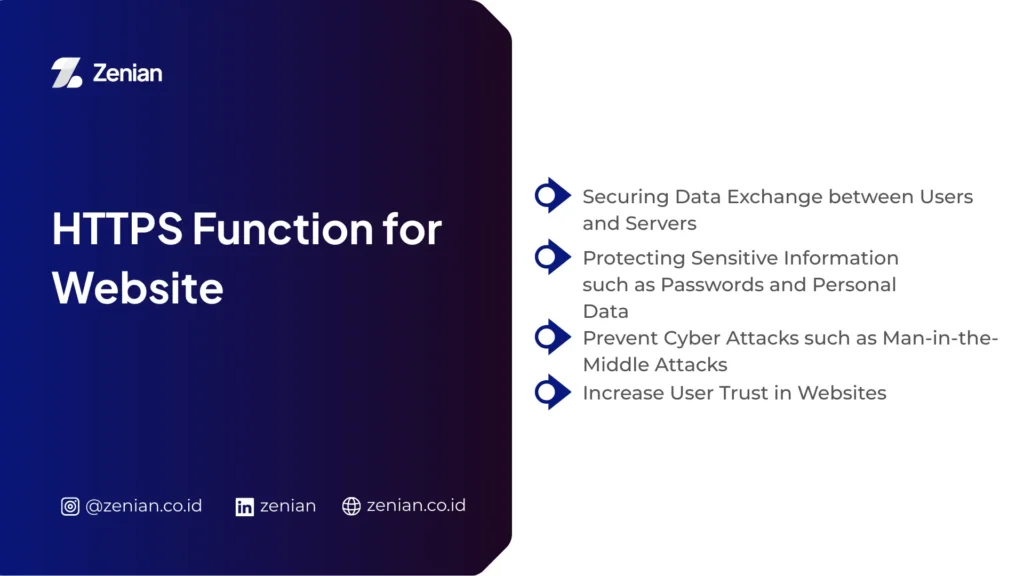
1. Securing Data Exchange Between Users and Servers
The main function of HTTPS is to create a secure communication path between the user’s browser and the website server. This system works by encrypting every piece of data that moves across the network so that external parties cannot read the information.
Unlike HTTP, which sends data in plaintext form, this protocol keeps every piece of information private. Therefore, communication between users and servers can occur safely even when using public networks.
2. Protecting Sensitive Information such as Passwords and Personal Data
When users enter data such as usernames, passwords, or transaction information, the encryption system protects all of this information.
Websites that provide online payment services, membership services, and other digital platforms usually rely on this protocol to maintain data security.
Without an encryption system, information entered into online forms can easily be intercepted by irresponsible parties. With this security layer, the risk of data leaks can be significantly minimized.
3. Preventing Cyber Attacks such as Man-in-the-Middle Attacks
Through this mechanism, the system ensures that users are actually connected to the official server, not a fake server created to steal information. This verification becomes an important step in maintaining secure communication on the internet.
In addition, this technology also maintains data integrity during the transmission process. The system ensures that messages sent are not altered during transmission.
This protection effectively helps prevent attacks such as man-in-the-middle attacks, which attempt to insert or modify data within communication channels.
4. Increasing User Trust in a Website
Website security does not only affect technical systems but also influences user perception. Websites using this protocol usually display a padlock icon in the browser address bar.
This icon provides a visual signal that the site is safe to access. Visitors feel more comfortable entering personal data or making transactions on websites that show these security indicators.
On the other hand, many users tend to leave sites that display a Not Secure warning. Therefore, implementing this security system can increase user trust while helping maintain a website’s reputation.
The Advantages of HTTPS Compared to HTTP
Below are several explanations of the main advantages that make HTTPS superior to HTTP:
1. Higher Data Security
HTTP sends data in plain text or plaintext form. This condition allows information transmitted through the network to be easily intercepted by third parties who have access to data traffic.
In contrast, HTTPS uses SSL/TLS encryption technology to secure data during the transmission process. This system scrambles information so that only parties with a valid decryption key can read it.
Read Too: How to Check Website Traffic: A Complete Guide to Viewing Website Users
2. Increasing Website Visitor Trust
One of the easiest indicators to recognize is the padlock icon in the browser address bar. This icon indicates that the connection between the user and the server is protected by an encryption system.
On the other hand, many browsers such as Google Chrome and Mozilla Firefox display a Not Secure warning on sites that still use HTTP.
3. Supporting SEO Rankings in Google
Websites that use secure protocols tend to receive better priority in search results. This increases the chances of appearing on the first page compared to sites that still use HTTP.
In addition, HTTPS also helps analytics systems recognize referral traffic sources more accurately. This clearer data makes it easier for website managers to analyze visitor behavior and develop more effective digital marketing strategies.
4. Protecting Websites from Data Manipulation
With this system, third parties cannot change or manipulate data that is being transmitted. This protection is very important to prevent attacks that attempt to insert malicious content or alter information on website pages.
Besides maintaining data integrity, HTTPS also provides an authentication process. This mechanism ensures that users are truly connected to a legitimate server. As a result, the risk of connecting to fake sites designed to steal user data can be minimized.
5. Supporting Secure Online Transactions
Websites that run online transactions must use HTTPS as a security standard. This system protects various types of sensitive information involved in digital transaction processes.
Platforms connected to payment services such as credit cards or payment gateways must implement this protocol to ensure user data security. In addition, the use of HTTPS is also a requirement in security standards such as PCI DSS.
Benefits of Using HTTPS for Online Businesses
For online businesses, using this protocol is important to maintain customer trust, protect digital transactions, and improve overall website performance. Below are several key benefits that can be obtained.
Increase Brand Credibility: A clear security system shows that the company is serious about protecting customer data. This attitude indirectly builds long-term consumer loyalty.
Support Secure E-commerce Transactions: System security affects customer behavior. Many users cancel transactions when they feel the payment system is not secure.
Help Improve Website SEO Performance: This protocol helps analytics systems track traffic sources more accurately.
Provide a Safer Browsing Experience for Users: It maintains data integrity during the transmission process. Information sent from users to servers cannot be changed or manipulated by hackers.
How to Convert a Website from HTTP to HTTPS
The first step that must be done is installing an SSL Certificate on the website server. This certificate encrypts communication between the user’s browser and the server so that data cannot be easily intercepted.
To install it, you can follow several steps below.
Obtain a security certificate: You need to obtain a certificate from an official provider called a Certificate Authority (CA).
Choose the appropriate SSL type:
Domain Validation (DV) is suitable for blogs or personal websites, Organization Validation (OV) is commonly used by companies, and Extended Validation (EV) is often used by e-commerce sites.
Install the certificate on the server: After the validation process is complete, the certificate provider will provide a series of certificate codes. You need to install these codes on the server or hosting account.
After the security certificate is installed, the next step is to ensure that all visitors are automatically directed to the HTTPS version. Without this setting, users can still open the unencrypted HTTP version.
Below are the steps usually taken.
Implement a 301 redirect: Use a 301 redirect or permanent redirect so that browsers and search engines know that the website address has permanently moved to the HTTPS version.
Edit the .htaccess file: You can configure the redirect by editing the .htaccess file in the root server folder. Add RewriteEngine rules so the server always forces the connection to use HTTPS.
After the redirect settings are complete, the final step is to update the internal structure of the website. This stage is important to avoid security errors that may appear in browsers.
Below are several steps that need to be done.
Update internal links: Change all links in the content such as images, script files, and internal page links from http:// to https://.
Update the XML sitemap: Update the XML sitemap file with the new HTTPS addresses.
Verify in search engines: Finally, verify with search engines to ensure that the HTTPS version has become the main website address.
Want Your Website to Be More Secure and Easier to Find on Google?
It can be concluded that with security indicators such as the padlock icon, visitors feel more confident when browsing a site or making transactions. This creates a safer user experience while also supporting website performance.
To make your digital strategy more optimal, you can take advantage of professional services from PT Zenian Digital Lab, which provides 360° Digital Marketing solutions. Through Search Engine Optimization (SEO) and website development, you can improve both security and performance.
With the support of an expert team, you can optimize your website’s potential so it becomes easier to find in search engines while also building stronger brand credibility in the digital world. Start consulting your needs today to support sustainable business growth!
Read More: Definition of Google Data Studio, Its Functions, and Benefits