

Understanding how to check website traffic will help you develop your website or blog in a measurable way. You can make data-driven decisions rather than relying on mere guesswork.
Traffic analysis also helps evaluate the effectiveness of your SEO strategies, marketing campaigns, and the quality of published content. The good news is that various tools are available today to simplify the monitoring process.
These tools can be used for your own website or to estimate competitor performance. In this guide, you will learn practical ways to check website traffic along with key metrics you need to look out for.
What Is Website Traffic?
Website traffic is the number of visits a website receives within a certain period. Every time someone opens a webpage, the system records that activity as a visit.
Why Is Website Traffic Important?
Monitoring website traffic regularly helps you understand your website’s condition based on real data. This way, every decision you make can be more targeted instead of relying solely on assumptions. It is vital because it allows you to:
- Measure performance and strategy effectiveness
- Understand visitor behavior
- Identify issues early on
- Provide a foundation for business decision-making
- Discover optimization opportunities
This information serves as the foundation for building optimization strategies that are more targeted and oriented toward long-term growth.
Read Too: Differences Between Websites and Blogs: Definition and Functions for Business
How to Check Website Traffic
You can monitor the number of website visitors by utilizing various analytics tools available today. You can leverage third-party services that provide estimated visit data from a variety of sources.
1. How to Check Website Traffic with Google Analytics
Google Analytics (GA4) is one of the most widely used analytics tools to monitor website visitor activity. This platform allows you to collect various essential data for free and presents it in easy-to-understand reports.
To start using it, you need to create a Google Analytics account and install a tracking code on your website. Once the code is active, the system will automatically begin collecting visitor data.
Through the GA4 dashboard, you can view multiple insights such as visitor numbers, traffic sources, most frequently visited pages, and the demographic characteristics of the audience accessing your website.
2. How to Check Website Traffic in Google Search Console
The first step you need to take is to register your website and verify ownership. You can complete this process by adding a meta tag to your website or uploading a verification file to your hosting server.
Once verification is successful, open the GSC dashboard and select the Performance menu to view organic search performance reports. On this page, you will find several key metrics used to evaluate website performance.
Some of the main metrics to watch include:
- Clicks: The number of users who visited your website through Google search results.
- Impressions: The number of times your website pages appeared in search results.
- Click-Through Rate (CTR): The percentage of users who clicked on a page after seeing it in search results.
- Average Position: The average ranking of your website pages for specific keywords.
GSC helps you find new keyword opportunities. The platform is also useful for detecting various technical issues, such as crawling errors, unindexed pages, or other obstacles that could affect SEO performance.
3. How to Check Website Traffic in Real-Time
Real-time data allows you to monitor visitor activity as it happens. This feature is highly useful when you have just published content, run a promotional campaign, or want to know live visitor responses.
Through Google Analytics, you can see the number of active users, pages currently being opened, the geographical location of visitors, and the traffic sources they used to access the website.
Aside from Google Analytics, several alternatives also provide real-time traffic monitoring:
- Statcounter: Offers easy-to-understand visit reports and displays visitor activity live.
- Histats: A popular choice among bloggers due to its simple installation process and ability to display visitor statistics quickly.
- Yandex.Metrica: Provides more in-depth features, including session replay, which allows you to watch recordings of visitor activity as they browse the website.
Through the session replay feature, you can observe how users move from one page to another, which parts they click most often, and areas that might confuse visitors.
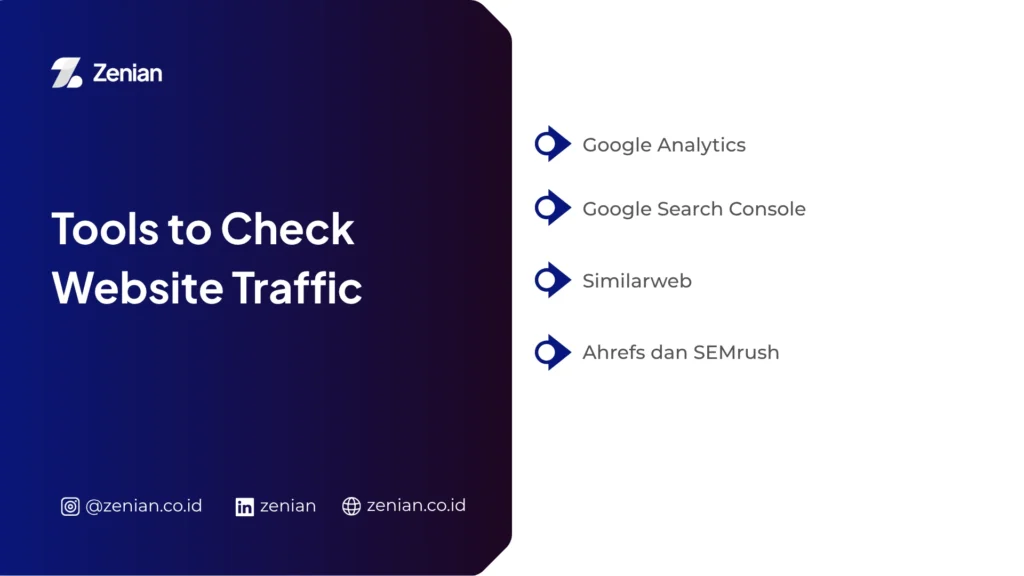
Tools to Check Website Traffic
Each tool offers different functionalities. Using the right tools can help you understand audience behavior, measure marketing strategy effectiveness, and find new opportunities to boost website performance.
1. Google Analytics
Through Google Analytics, you can discover visitor counts, traffic sources, audience characteristics, and the user journey when exploring website pages.
The User Flow feature also helps you understand which pages are visited most frequently and the navigation paths visitors take before leaving the site.
The latest version, GA4, uses an event-based approach. This approach allows the system to track various user actions in greater detail, such as button clicks, scrolling activity, page views, and conversions occurring on the website.
Google Analytics can connect with Google Ads and Google Search Console. This integration makes it easier for you to monitor both organic traffic performance and paid campaigns through a single centralized dashboard.
2. Google Search Console
This tool helps you understand how search engines find, read, and display your website pages to users.
Google Search Console displays various key metrics, such as the number of clicks and impressions. Besides providing search performance data, this tool also helps you manage technical SEO aspects. You can submit sitemaps, monitor the indexing process, and identify various technical issues like crawling errors or mobile responsiveness glitches.
One of the greatest benefits of using Google Search Console is the Search Queries report. From this report, you can discover new keyword variations that are already generating impressions or clicks, expanding your SEO optimization opportunities.
3. Similarweb
Through Similarweb, you can see estimated total monthly visits, average visit duration, pages per session, and bounce rates. This information helps you understand the traffic quality of a website.
The tool also displays a detailed distribution of traffic sources. You can find out whether the majority of visitors come from organic search, social media, paid ads, referrals, or direct visits.
Even in its free version, Similarweb still provides useful information regarding audience characteristics, including age range, gender, and visitor interests. This data can help you understand the target market within an industry more quickly.
4. Ahrefs and SEMrush
For SEO practitioners and digital marketing teams, Ahrefs and SEMrush are two professional platforms frequently used for in-depth website analysis.
- Ahrefs is known as one of the best tools for analyzing backlink profiles and estimating organic traffic. Through the Site Explorer feature, you can see the top keywords bringing visitors to a website along with the estimated traffic volume generated.
- SEMrush offers a massive keyword database and comprehensive competitor analysis features. This tool helps you understand the SEO and digital marketing strategies run by other websites within the same industry.
How to Increase Website Traffic
After acquiring traffic data, the next step is to use it as a basis for various optimizations. Here are several ways to sustainably increase website traffic:
1. SEO Optimization
Search Engine Optimization (SEO) is one of the most effective strategies to attract visitors because most internet users find information through search engines. The better the optimization, the higher the chances of the website appearing on the top page of search results.
Some steps you can implement include:
- Using keywords that are relevant to your audience’s needs.
- Grouping keywords through a Keyword Clustering strategy to build stronger topical authority.
- Improving page loading speed so visitors do not abandon the website before the content loads.
- Ensuring the website layout is easily accessible via mobile devices (mobile-friendly).
- Structuring URLs and internal links so search engines can better understand the relationships between pages.
- Optimizing titles and meta descriptions to catch users’ attention on search engine results pages.
- Updating old articles with the latest information and still-relevant keywords to maintain ranking performance.
With the right combination of technical and content optimization, a website stands a greater chance of gaining consistent organic traffic.
2. Creating Quality Content
Quality content is the main reason visitors come to a website. Therefore, focus on creating content that answers questions, solves problems, or provides information that the audience truly needs.
When creating content, keep the following in mind:
- Present information that is relevant, accurate, and easy to understand.
- Discuss topics that match the needs of your target audience.
- Publish content consistently to maintain website activity.
- Prioritize quality over the quantity of published articles.
- Use data from Google Analytics to identify content that attracts the most visitor attention.
When visitors find an article beneficial, they tend to spend more time on the website and may even share that content with others. This condition naturally helps boost traffic.
3. Leveraging Social Media
Social media can be an effective distribution channel to expand content reach. By sharing articles regularly, websites have the opportunity to gain additional visitors from various platforms.
Strategies you can deploy include:
- Building a brand presence through Instagram, Facebook, LinkedIn, or X.
- Sharing the latest articles so more people are aware of the published content.
- Creating engaging promotional materials to increase audience interaction.
- Using engagement data as a baseline for drafting the next content strategy.
The more active your content distribution, the higher the chance your website will secure stable social traffic from multiple sources.
4. Using Google Ads
If you want faster results, utilizing Google Ads can be an effective choice. Through paid advertising, a website can instantly appear in strategic positions within search results for specific keywords.
The advantages of using Google Ads include:
- Reaching an audience that aligns with your business targets.
- Gaining visibility faster compared to waiting for organic optimization results.
- Controlling the ad budget according to your needs.
- Measuring campaign performance in detail through various available metrics.
For optimal results, link Google Ads to Google Analytics. This integration helps analyze visitor behavior after clicking an ad, allowing you to know which campaigns yield the best conversions.
Boost Your Website Traffic with Zenian!
By monitoring and analyzing traffic data routinely, you can identify effective strategies, find areas for improvement, and make more precise decisions to elevate your website’s visibility and growth.
If you want to scale your website using measurable strategies, PT Zenian Digital Lab is ready to help through digital marketing services, SEO optimization, ad management, and website development oriented toward business growth.
Consult your needs with the Zenian team today!
Read Too: 8 Ways to Create an SEO Friendly Website: A Complete Guide